When Does On-Prem HPC Beat the Cloud? A TCO Analysis

We build a simple total cost of ownership model to find the break-even utilization rate at which owning your own HPC hardware beats renting from the cloud - and explore what happens when you stretch depreciation beyond the usual 3 years.
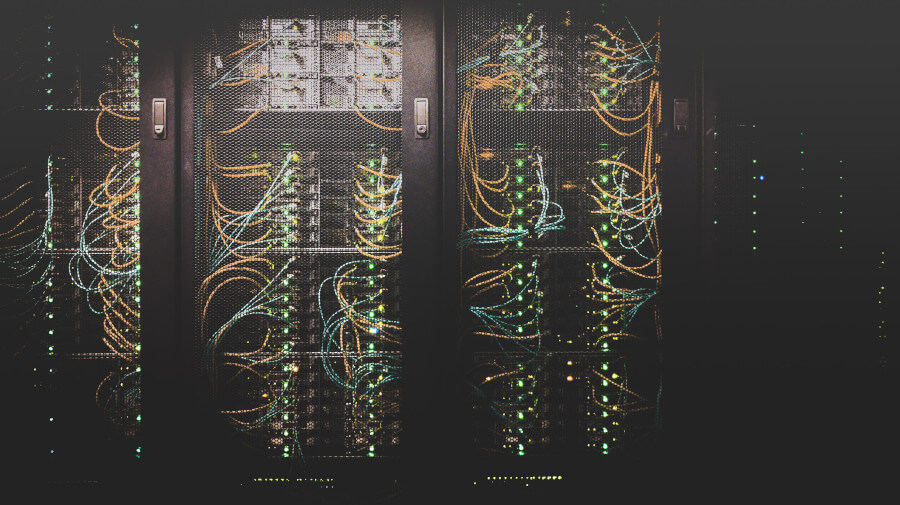
Cloud computing has been marketed as the future of everything, HPC included. And to be fair, for many workloads the cloud makes perfect sense. But the narrative has swung so far in the pro-cloud direction that it’s worth pausing and doing some actual math.
The question is simple: at what utilization rate does owning your own hardware become cheaper than renting from the cloud? And a closely related follow-up: what happens to that break-even point if you stretch your hardware depreciation from the standard 3 years to 5 or even 6 years?
Spoiler: the numbers are more favorable to on-prem than the cloud marketing departments would like you to think.
The owning vs renting debate
At its core, this is a classic buy vs rent decision, not unlike deciding whether to buy or rent a house. The cloud offers flexibility and zero upfront cost, while owning hardware requires capital investment but gives you full control and potentially lower long-term costs.
The cloud industry has done a great job of emphasizing the flexibility side. And they’re not wrong - if you need a 100-GPU cluster for a week and then nothing for three months, the cloud is obviously the right choice. But what if you have a steady, continuous workload? That’s where the math starts to favor on-prem.
Building a simple TCO model
Let’s build a simple but honest total cost of ownership model for both scenarios.
On-prem costs
The main cost components for owning HPC hardware are:
- Hardware purchase cost (CPUs, GPUs, networking, storage)
- Depreciation period - how many years you spread the cost over (typically 3 years, but we’ll challenge that)
- Electricity costs - a non-trivial factor for GPU-heavy setups
- Cooling and facilities - rack space, cooling infrastructure
- System administration - someone needs to maintain the thing
- Setup and decommission costs - one-time costs at both ends
Cloud costs
For cloud-based HPC, the model is simpler:
- Instance costs - a blended rate across different instance types (CPU, GPU, high-memory, etc.)
- Storage costs - persistent storage, snapshots, data transfer
- Networking costs - data egress charges, which can surprise you
- User support costs - you still need someone to manage workloads, even if not the hardware
A concrete GPU example
Let’s make this tangible. Consider a single GPU node with specs comparable to what you’d rent from a cloud provider.
The on-prem option
Suppose we build a GPU server with two NVIDIA A100-equivalent GPUs. A reasonable cost breakdown:
| Component | Cost |
|---|---|
| 2x used high-end GPU | $6,000 |
| Server (CPU, RAM, storage) | $2,000 |
| Networking | $500 |
| Setup costs | $500 |
| Total hardware | $9,000 |
Now, the recurring annual costs:
| Annual cost | Amount |
|---|---|
| Electricity (500W avg, $0.12/kWh) | $525 |
| Sysadmin (fraction of FTE) | $2,000 |
| Cooling/facilities | $500 |
| Total annual | $3,025 |
The cloud option
A comparable GPU instance on a major cloud provider (e.g., an p4d.xlarge-class instance with A100 GPUs) costs roughly $3-5 per GPU-hour on-demand, or about $1.50-2.50 per GPU-hour with reserved pricing (1-year commitment).
Let’s be generous and assume a blended rate of $2.00 per GPU-hour for two GPUs, i.e., $4.00 per hour total.
The break-even utilization rate
Let’s compute the cost per hour for both options as a function of the utilization rate (the fraction of time the hardware is actually being used).
3-year depreciation (standard)
With a 3-year depreciation schedule:
where 8,760 is the number of hours in a year.
For the cloud, assuming you only pay when you use it:
Setting and solving for :
That’s a break-even utilization of about 17%. In other words, if you use your hardware more than 17% of the time - roughly 4 hours a day - owning is cheaper than renting at cloud on-demand rates.
Even with reserved cloud pricing at $2.00/hr total (very optimistic), the break-even is:
So about 34% utilization, or about 8 hours a day. That’s still quite achievable for any team with a steady workload.
What about 5-year depreciation?
Now here’s the key insight that the standard models often miss. The typical 3-year depreciation schedule for HPC hardware is driven by accounting conventions and the pace of the cutting-edge performance race. But if you’re not chasing the bleeding edge - if your workloads run fine on hardware that’s a few years old - there’s no technical reason you can’t run the same hardware for 5 or even 6 years.
GPUs don’t expire after 3 years. A Tesla V100 from 2017 still runs CUDA code just fine in 2026. The performance doesn’t degrade. You just won’t have the newest features or the best power efficiency - but for many workloads, that doesn’t matter.
With a 5-year depreciation:
Break-even vs cloud at $4.00/hr:
That’s under 14% - about 3.3 hours per day.
With a 6-year depreciation:
Break-even vs cloud at $4.00/hr:
Just 13%, or about 3 hours per day.
Summary of break-even utilization rates
| Depreciation period | Break-even vs cloud ($4/hr) | Break-even vs reserved ($2/hr) |
|---|---|---|
| 3 years | 17.2% | 34.4% |
| 4 years | 15.2% | 30.4% |
| 5 years | 13.8% | 27.5% |
| 6 years | 12.9% | 25.8% |
The takeaway is clear: the break-even utilization rate is surprisingly low, especially if you’re willing to keep your hardware for longer than the standard depreciation period.
The depreciation question: can you really stretch to 5-6 years?
This is a legitimate question, and the answer depends on your workload.
Reasons the 3-year cycle exists
- Performance race: Top HPC facilities need the latest hardware to remain competitive on benchmarks and to handle ever-growing problem sizes.
- Vendor support: Hardware warranties typically last 3-5 years, and vendor support for driver updates eventually ends.
- Power efficiency: Newer hardware is substantially more power-efficient. Over time, the electricity savings of newer hardware can justify the upgrade.
- Accounting: Corporate depreciation schedules are often set at 3 years for compute equipment, creating an organizational pressure to replace.
Why 5-6 years can make sense
- Workloads don’t always grow: If your simulation or ML pipeline was fine on a V100 last year, it’s probably still fine on a V100 this year. Not every workload needs the latest GPU.
- CUDA backward compatibility is excellent: NVIDIA maintains backward compatibility aggressively. A Pascal-era GPU can still run the latest CUDA toolkit (see the compute capability table in my previous post).
- Maintenance is cheap: Replacing thermal paste, fans, and the occasional power supply is far cheaper than buying new GPUs.
- Electricity costs may not dominate: At `$0.12/kWh, the difference between a 300W and 250W GPU is about $50/year. That’s real money at scale, but for a small cluster it doesn’t justify a $5,000 GPU replacement.
- The used market creates a lifecycle: You can buy hardware that’s already 2-3 years old at a steep discount, use it for another 3-4 years, and still come out far ahead of cloud pricing.
In fact, this is precisely the logic behind building a budget GPU rig with used hardware. If you buy a Tesla P100 for $85 - a card that’s nearly 10 years old - and it still runs your workload, then the effective depreciation cost is essentially zero. The entire economics shift dramatically in favor of on-prem.
When the cloud actually wins
To be fair, there are real scenarios where cloud HPC is the better choice:
Bursty, unpredictable workloads
If you need 100 GPUs for a week, then nothing for two months, then 50 GPUs for three days - the cloud is unbeatable. No on-prem system can economically handle that kind of variability.
Experimentation with diverse hardware
If you’re a researcher who wants to benchmark your code on an A100, then an H100, then try some AMD MI300X - the cloud lets you try all of that without buying anything. This is genuinely valuable for development and benchmarking.
Small organizations without infrastructure
If you don’t have a server room, don’t have a sysadmin, and don’t want to deal with hardware failures at 2 AM, the cloud removes all of that operational burden. For a small team doing occasional HPC work, this convenience premium can be worth it.
Embarrassingly parallel jobs on spot instances
Cloud providers offer spot instances at deep discounts (often 60-80% off on-demand pricing). For embarrassingly parallel workloads that can tolerate interruptions - like parameter sweeps, Monte Carlo simulations, or hyperparameter searches - spot instances can bring the effective cloud cost down below what on-prem can match at low utilization rates.
When on-prem wins: the mid-sized steady workload
The scenario where on-prem most clearly beats the cloud is also the most common one that gets overlooked: a small-to-mid-sized team with a steady workload.
Think of a research group running CFD simulations, a startup training and fine-tuning ML models daily, or an engineering team running FEA analyses. These teams typically need a handful of GPUs, use them 6-10 hours a day on average, and don’t need the absolute latest hardware.
At 30-40% utilization - which is modest for a team that’s actively using the hardware during working hours - on-prem is 2-3X cheaper than the cloud, even with generous cloud pricing assumptions.
And here’s the thing: that utilization rate of 80-90% that traditional HPC centers target is what’s needed to justify multi-million-dollar facilities with full-time staff. For a small team with a 20,000 hardware investment, you only need 15-30% utilization to beat the cloud. That’s a much lower bar.
The hidden cloud costs
One thing the cloud TCO comparisons often understate is the non-compute costs of cloud infrastructure:
- Data egress charges: Moving data out of the cloud is surprisingly expensive. AWS charges $0.09/GB for data transfer out. If you’re working with large datasets (common in HPC), this adds up.
- Storage costs: Persistent SSD storage on cloud providers costs $0.08-0.10 per GB per month. A 2 TB dataset costs about $200/month just to store, or $2,400/year. On-prem, a 2 TB SSD costs $100 once.
- Complexity costs: Cloud infrastructure requires its own expertise - IAM roles, VPC configuration, instance scheduling, cost monitoring. This is a real time cost that partially offsets the “no sysadmin needed” advantage.
- Lock-in risks: Migrating workloads between cloud providers or back to on-prem is non-trivial. The longer you’re on a cloud platform, the more entangled you become.
A practical recommendation
Here’s what I’d suggest if you’re trying to make this decision:
Estimate your actual utilization. Track how many GPU-hours or core-hours your team actually uses per week. Be honest.
Compare honestly. Use the formulas above with your actual hardware costs and the actual cloud pricing for comparable instances. Don’t forget electricity, but also don’t forget cloud data transfer and storage costs.
Consider the depreciation stretch. If you’re not chasing benchmarks, a 5-year lifecycle is perfectly reasonable and dramatically improves the on-prem economics.
Start small. A single used GPU server for $500-2,000 (see my budget GPU build guide) is a low-risk way to test whether on-prem works for your team before committing to a larger investment.
Hybrid is fine. Use on-prem for your steady-state workload and burst to the cloud for peaks. This gives you the best of both worlds.
Conclusion
The cloud is not always cheaper. For steady workloads at even modest utilization rates, owning hardware is often 2-3X more cost-effective - and that gap widens substantially if you’re willing to stretch your hardware lifecycle beyond the conventional 3-year depreciation period.
The used GPU market makes this even more compelling. When you can build a functional GPU server for a few hundred dollars (as I discussed in my previous post), the break-even utilization against cloud pricing drops to absurdly low levels.
None of this means the cloud is bad - it’s a fantastic tool for bursty workloads, hardware experimentation, and teams without infrastructure. But if someone tells you that the cloud is always the right answer for HPC, I’d encourage you to run the numbers yourself. You might be surprised.